
Creating a Campaign is very easy, but you have to make sure that the set up is correct so that Companion can track that all important content!
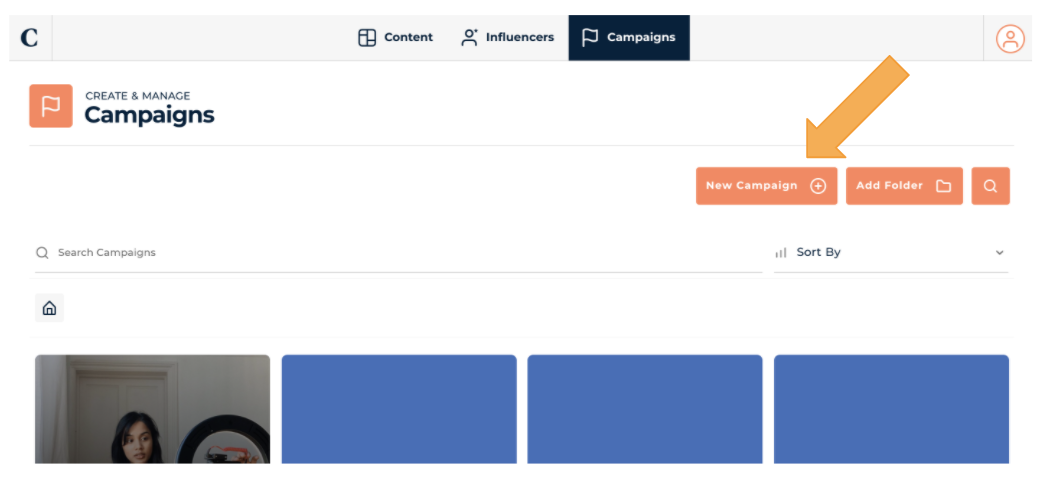
- Go to the Campaign section and select New Campaign
Creating a Campaign is very easy, but you have to make sure that the set up is correct so that Companion can track that all important content!
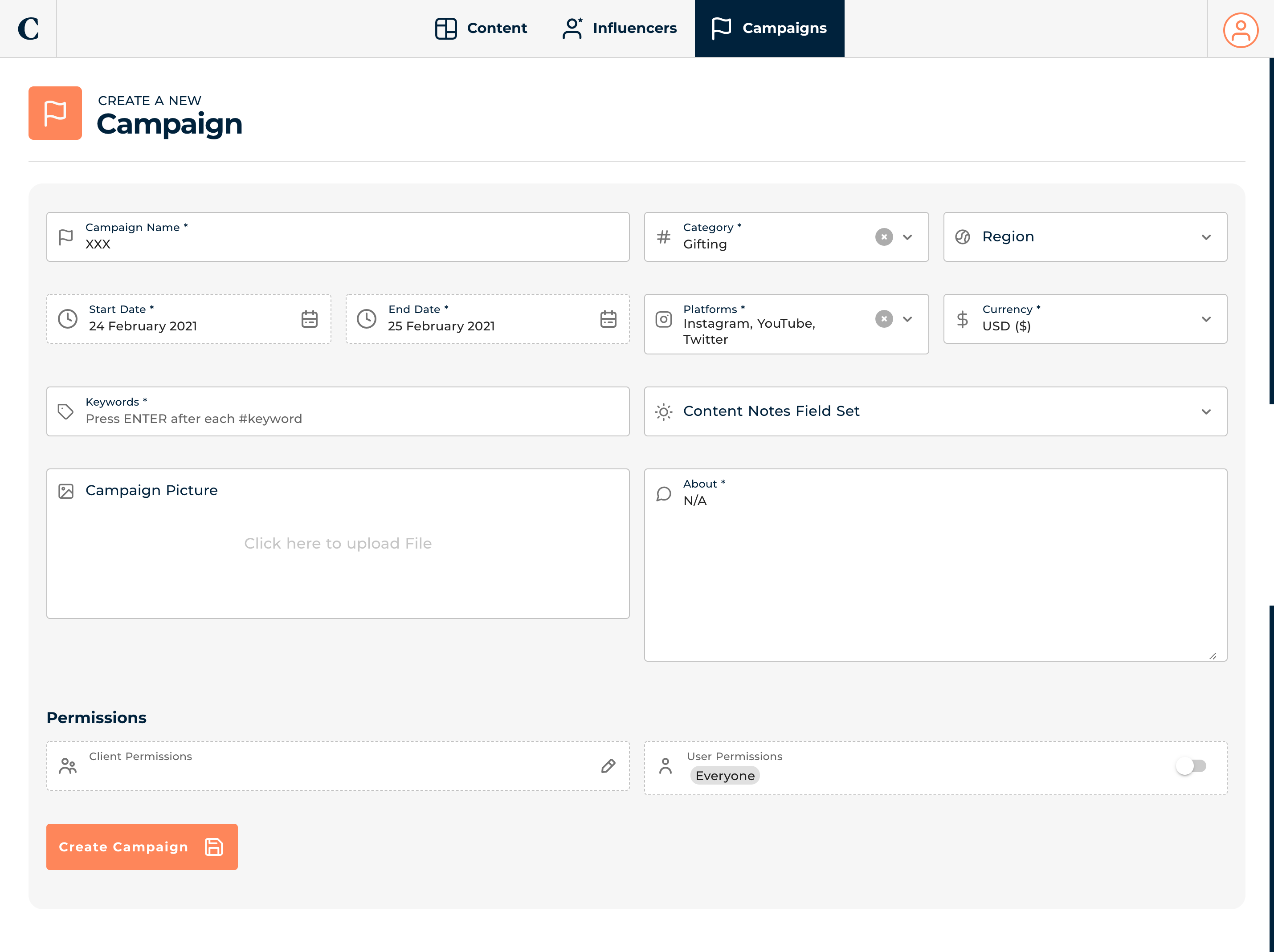
2. A form will appear, you don’t have to fill in everything except the key information below:
And click Save Campaign
3. You will be taken straight to the Influencer List and you can now Add Your Influencers into the campaign