Got someone in mind? Trying to find more talent just like them? We have the solution for you!
To access this feature, you must first set up a campaign and add the talent of your choice into your Suggested List. Then, on the right hand side of the screen, click on Similar Profiles.
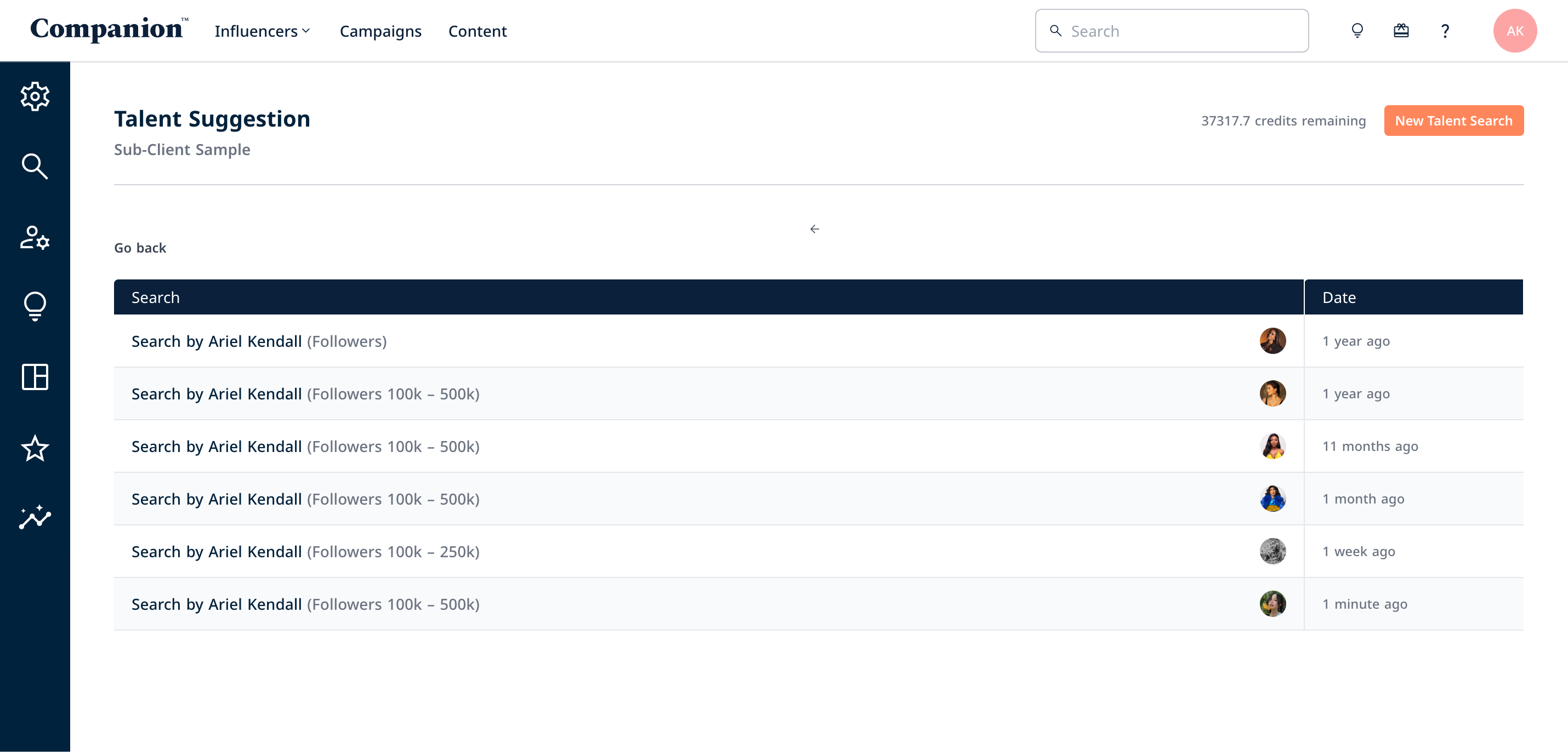
You will be re-directed to a page with a list of Similar Profiles searches that you, and the rest of your team have run based on your campaign. You can click on them and find some inspiration. But if you wish to do your own search, click on New Talent Search on the top right side of the screen.
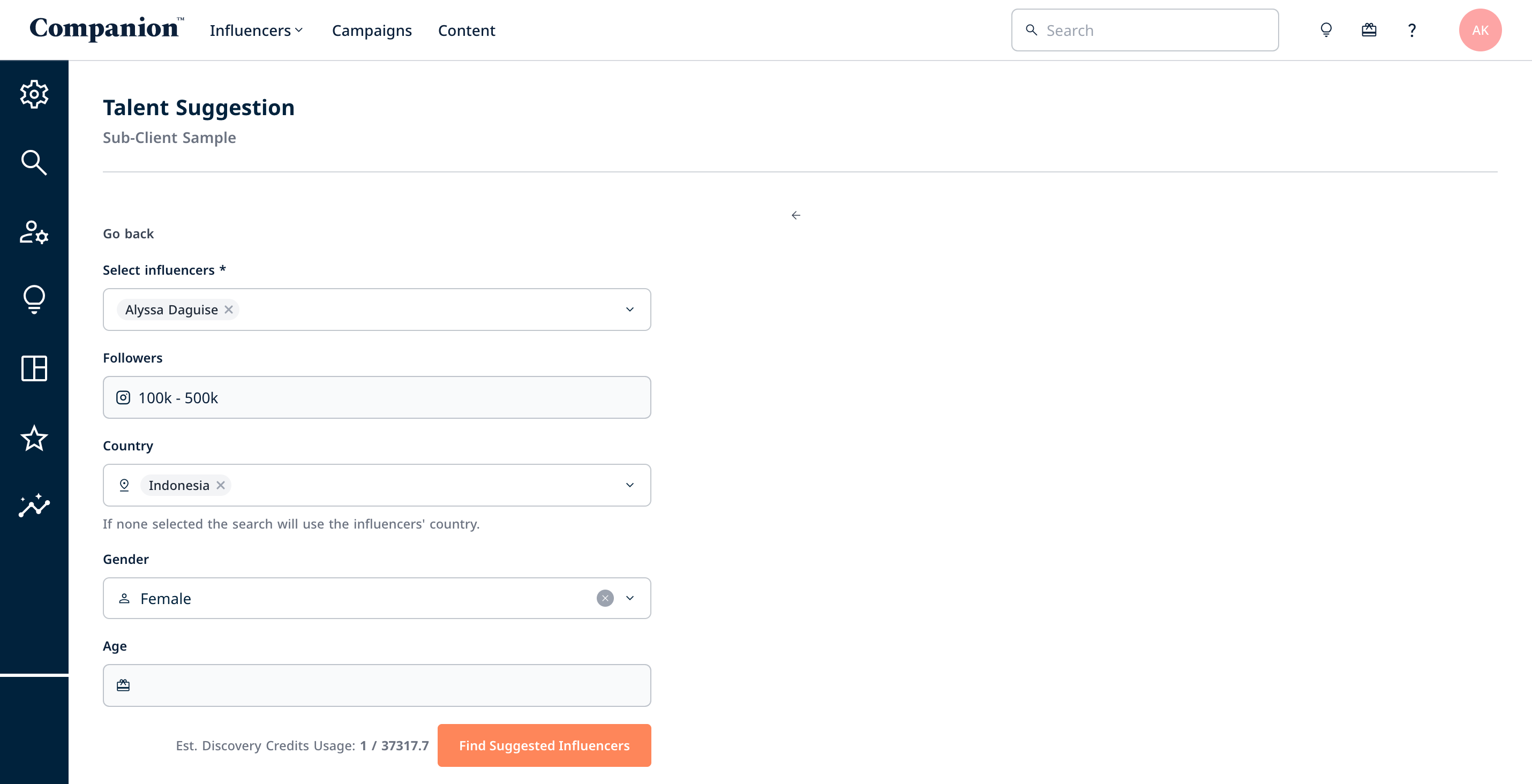
Then, enter your criteria. Select the talent you want from the drop down list of those in your List, the region you require, followers, engagement rate, etc. Then click Find Suggested Influencers.
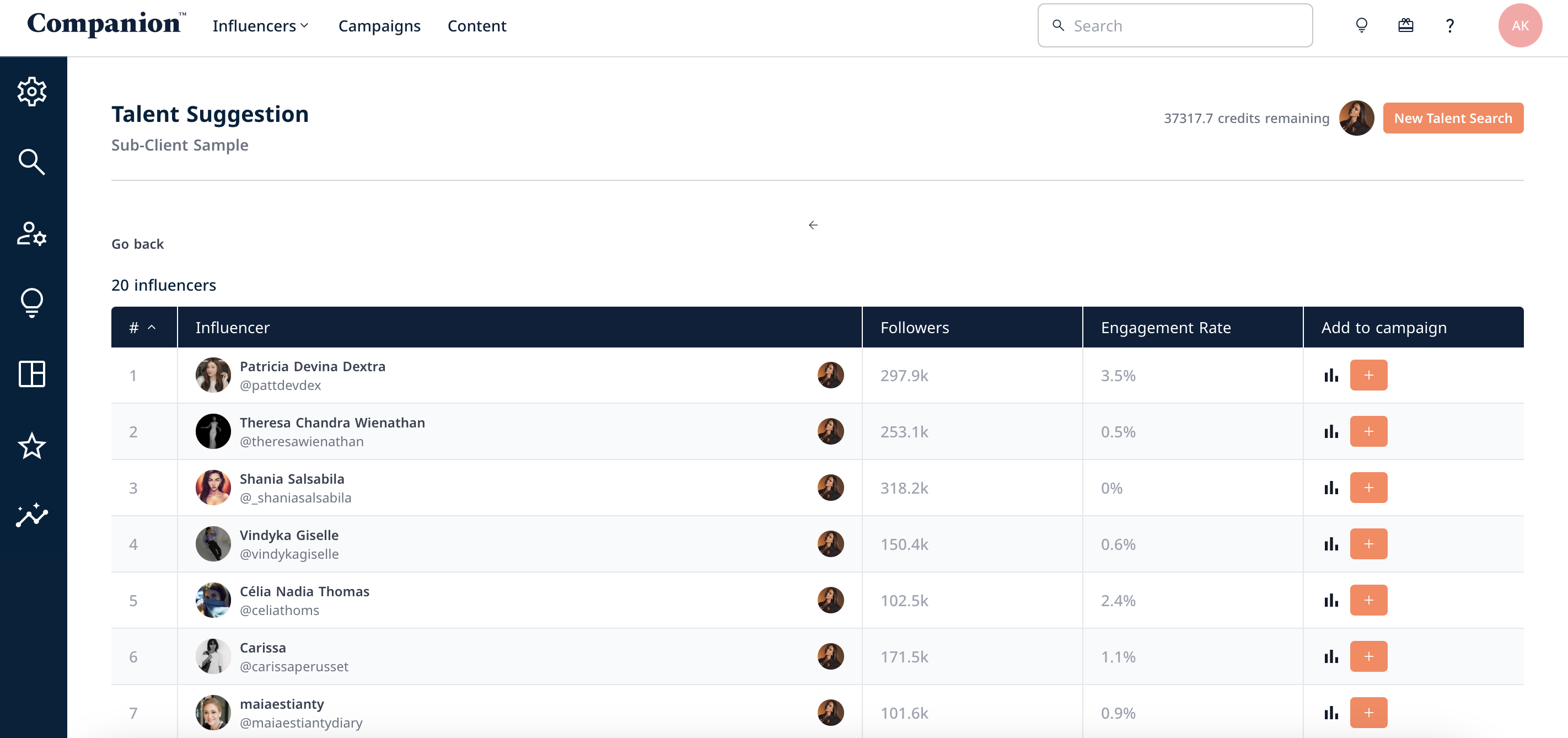
Companion will run results of 20 influencers based on your search, looking for influencers from within and outside of the Database that matches your criteria but also, the aesthetic and category of your chosen talent, also looking amongst those they interact with with a similar aesthetic.
You’ll be able to see their name, handle, followers, engagement rates, download their demographic report for a deeper dive into their followers, as well as add them straight into the campaign. Those with an eye icon next to the demographic icon means that they are already in the Database.