Our Briefing feature allows you to send briefs to Talent Agencies within the Billion Dollar Boy network and receive a selection of talent to add to your Suggested talent list for upcoming campaigns.
Using it is so simple.
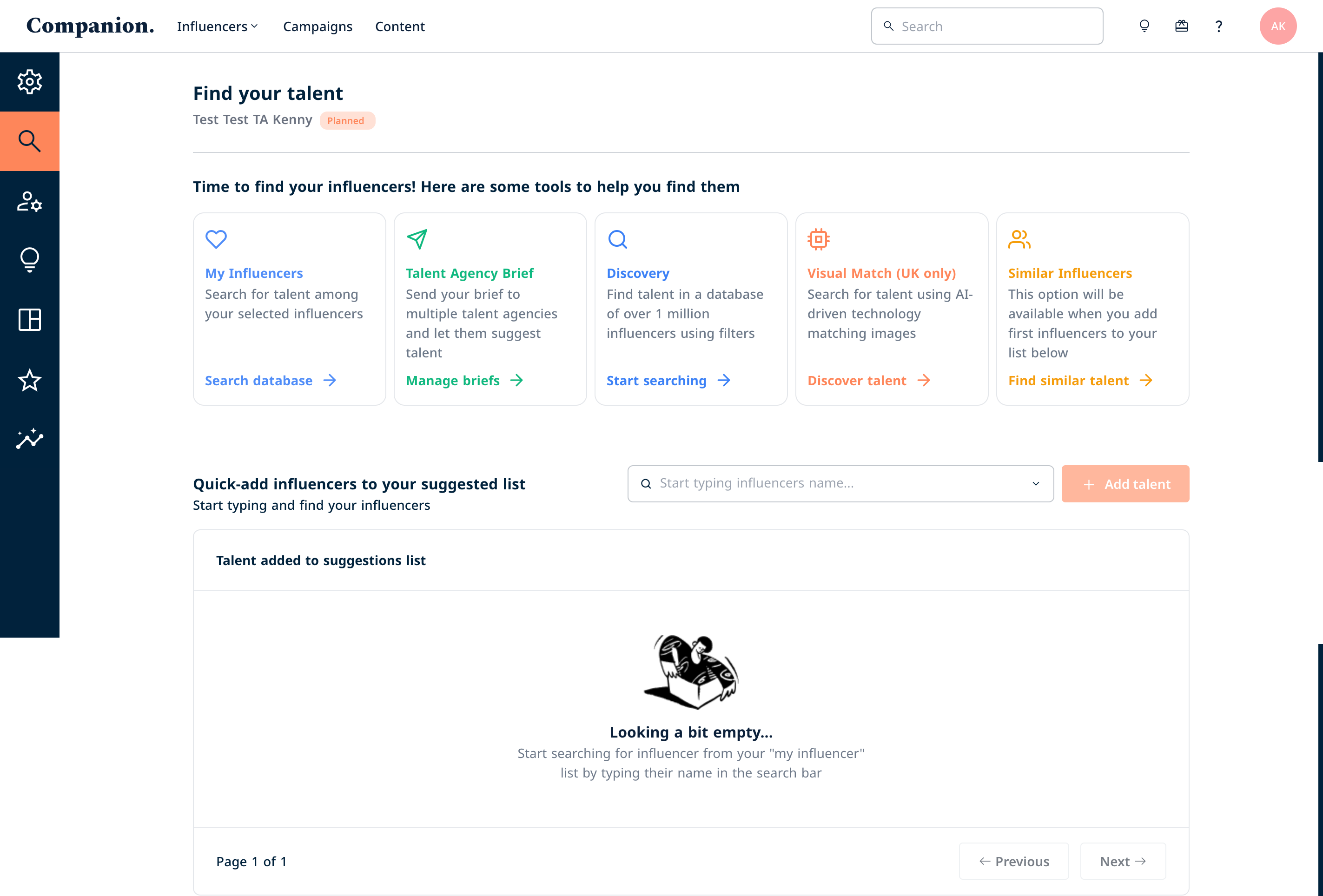
First, head over to the Find Talent section of your campaign, and select Manage Briefs.
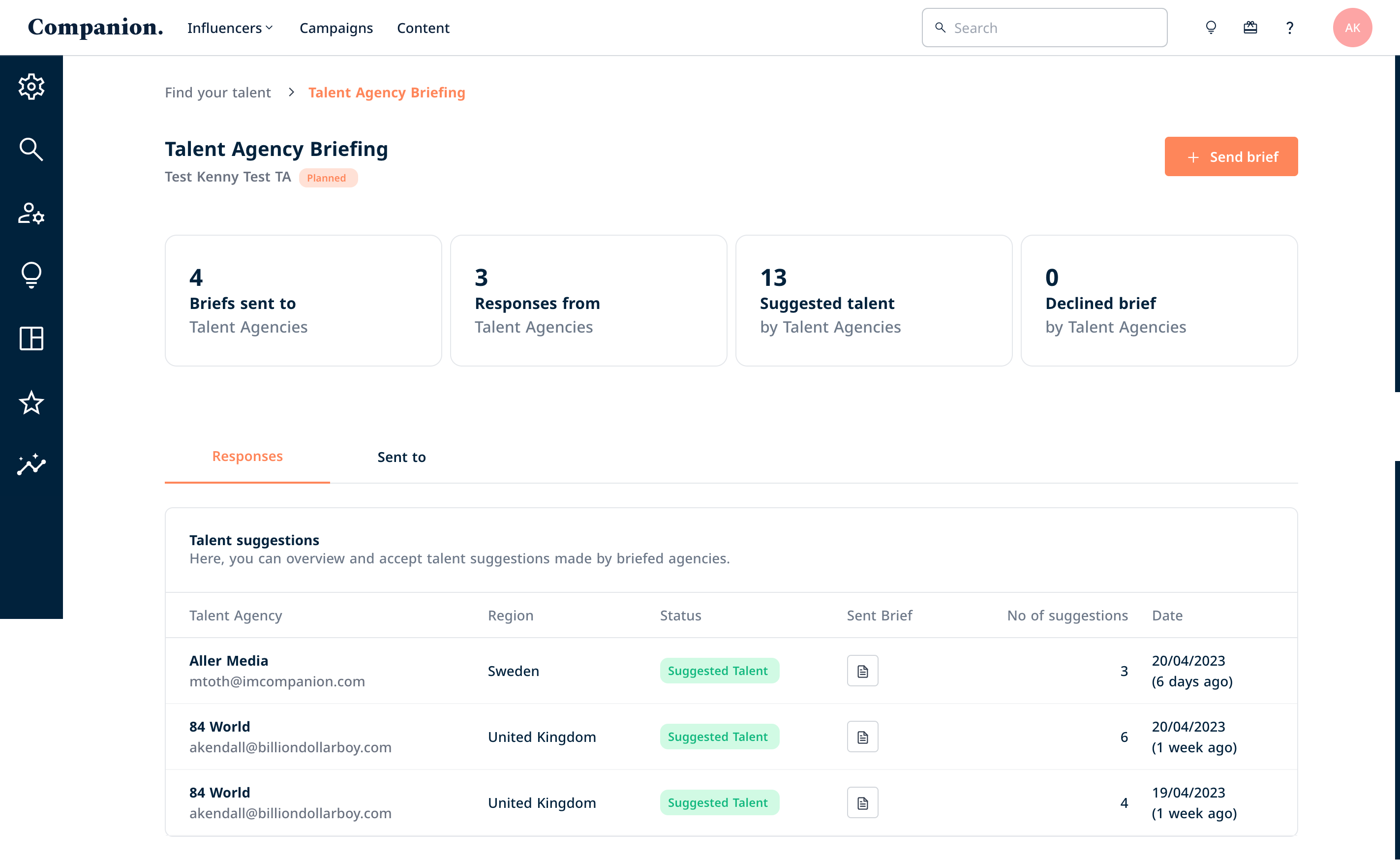
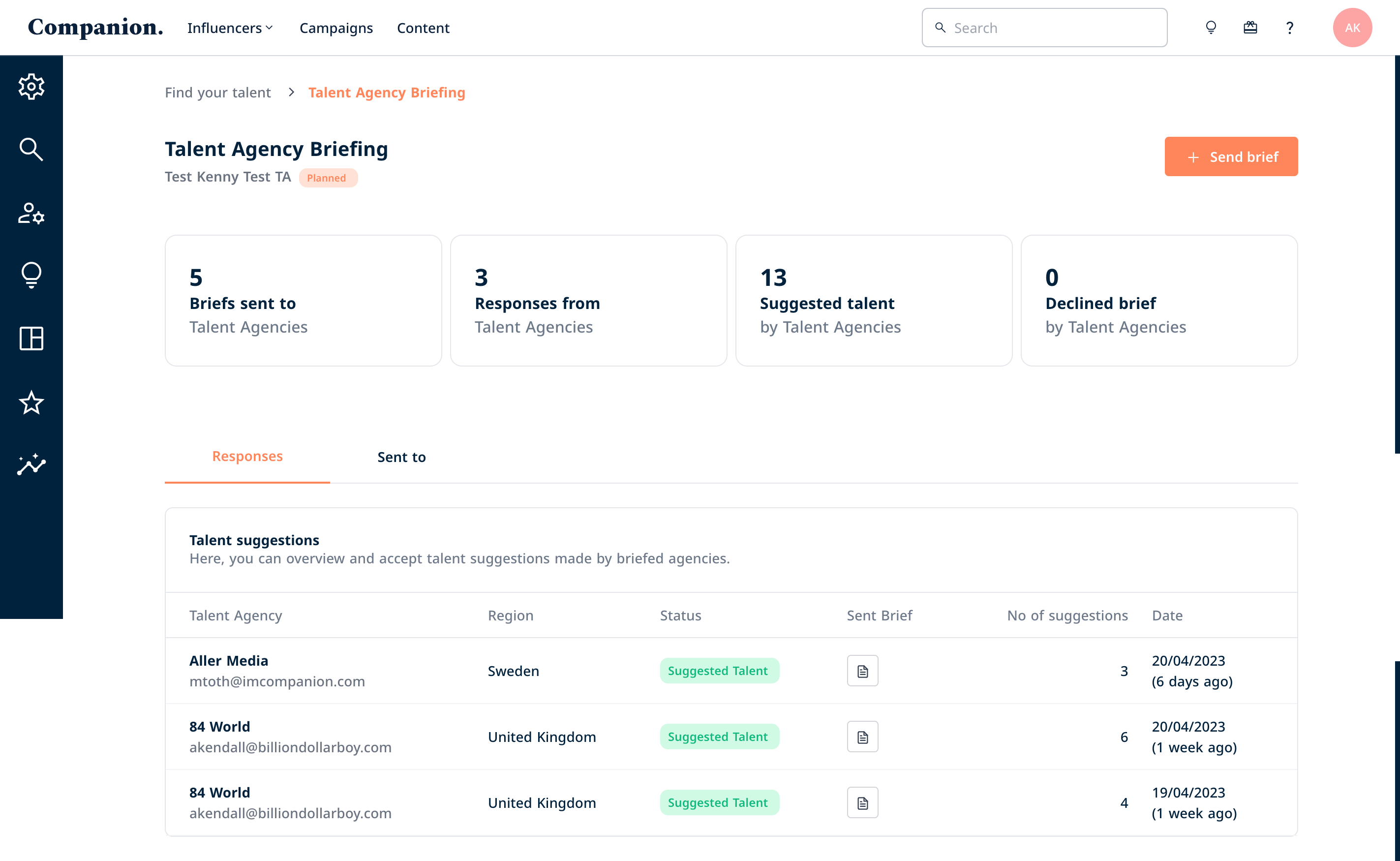
The Talent Agency Briefing dashboard is an informative space that keeps you well informed of your briefing journey. Here, you’ll see the number of responses you’ve received, how many briefs you sent and to whom, as well as the list of talent that has been put forward for your campaign. To get started, select Send Brief
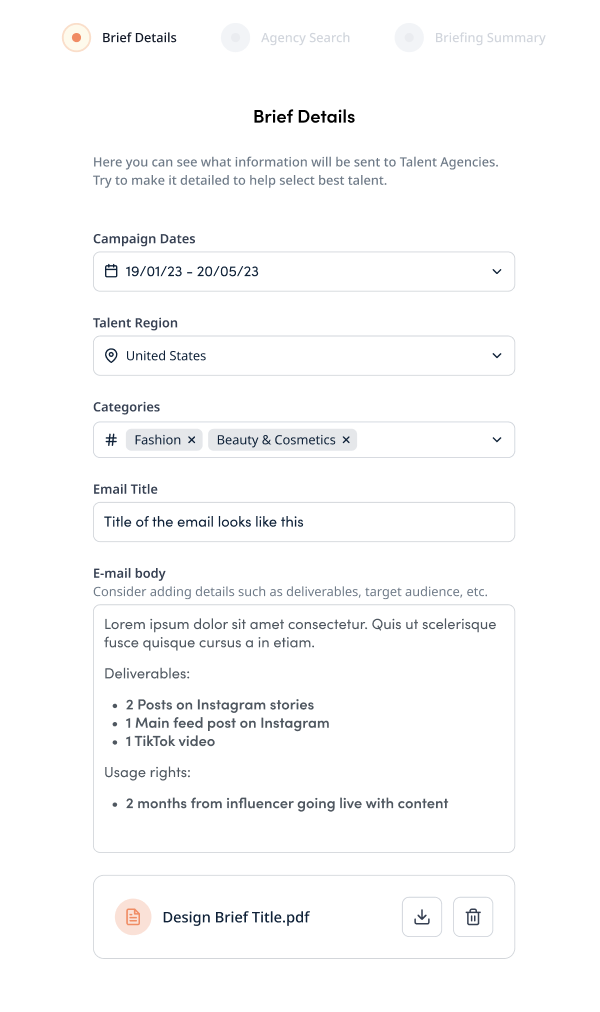
Enter the details of your brief and ensure that you include all the details that Talent Agents need to know to answer it. You can amend the email title too! Additionally, attach your brief document or anything that you would deem necessary in the upload box – the formats accepted include jpg & pdf.
Next, look for the Talent Agencies that fit your criteria. Companion will automatically apply the region and category you’ve provided in the previous stage. Feel free to change the location if needed and add categories to narrow down results to agencies belonging to a particular region and manages the category of talent you need.
You can also click on each agency for more details, check who they represent, check the contacts and understand whether there are existing contracts in place that could impact your campaign.
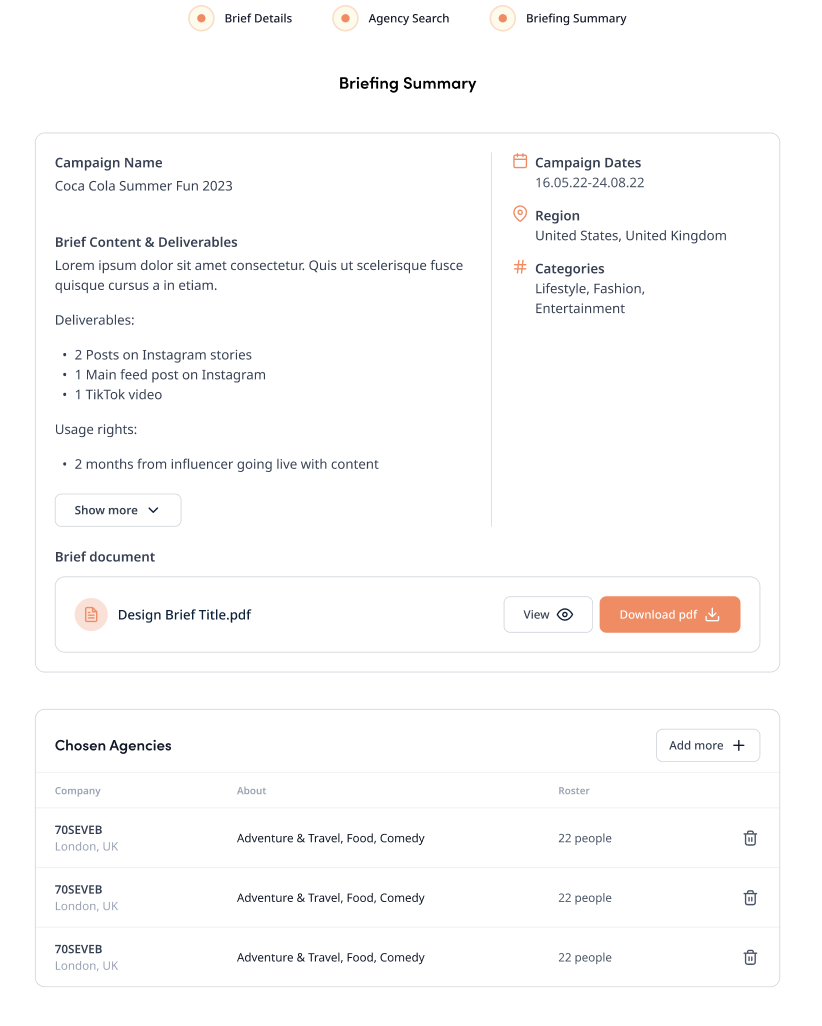
Once you select your Talent Agency(ies) you will be able to see a summary of all the information you’ve added so far. Simply confirm if you’re happy with everything and send it off! It will show you a notification when the brief is successfully sent off to the talent agents.
What happens next? You can check back in to the dashboard to check whether a talent agent has responded to your brief. You will see your dashboard change, showcasing the number of responses you’ve received, the number of talent suggested and, talent agencies that have declined the brief. It looks a little like the below. In the Responses section, you can click on the Brief icon to see what you sent them and click on one of the agency names to see who they’ve put forward.
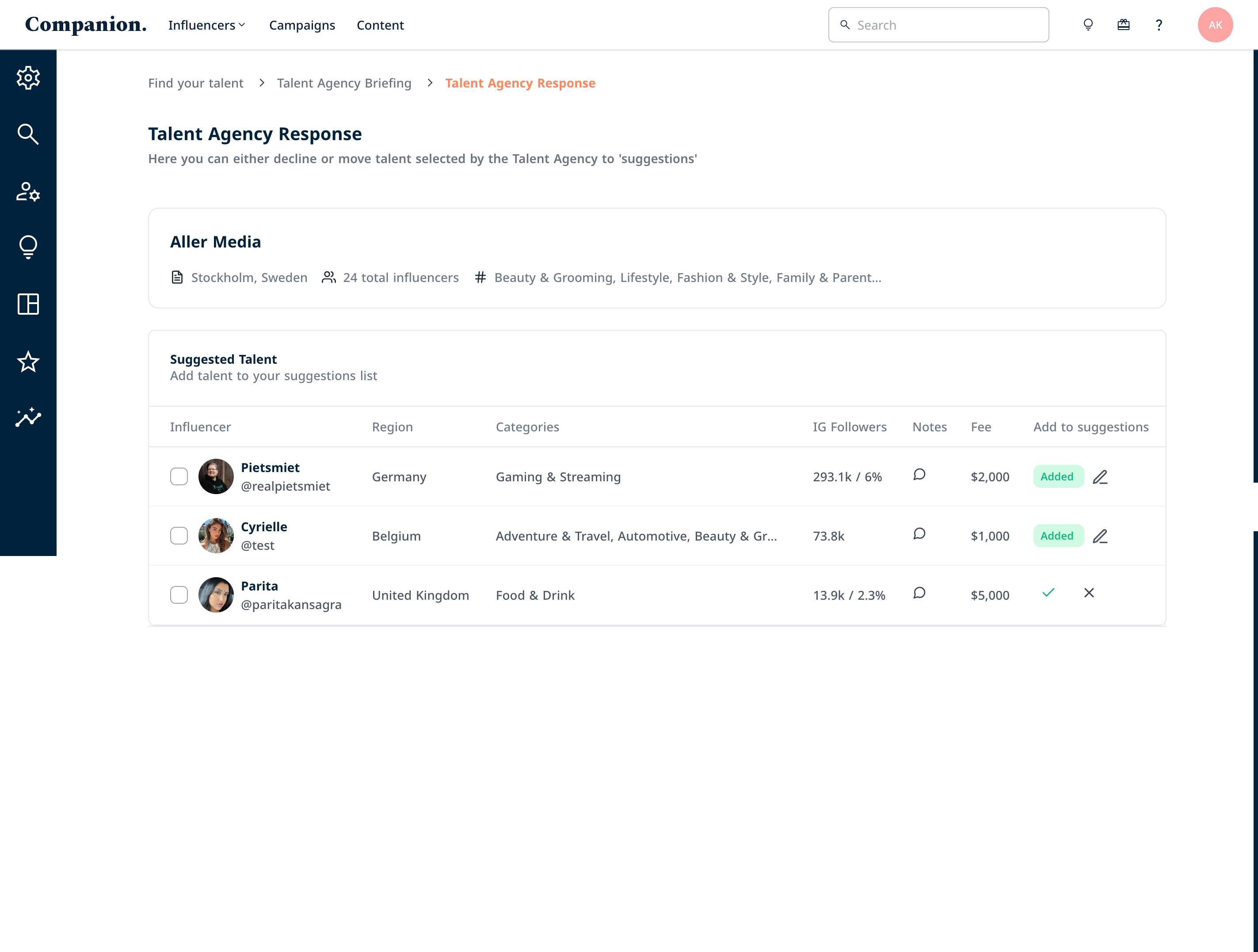
You will then see the list of talent the agency has put forward. All you have to do is approve or decline the talent – those approved will automatically go to your Suggested list. But feel free to change your mind, you can edit your choice by clicking the pencil icon.
What happens next? Now you have your list of Suggested talent, it’s time to get in contact with the Talent Agencies to negotiate terms. Your approval/decline of a talent within Companion will not send an automatic response to the agencies, so it’s up to you to reach out. We are looking into this interaction though, but to do that we need to see how this first iteration goes. Watch this space!
What do the talent agents see? How can I help them if they’re stuck or if they have questions? Find your answer HERE.