
Talent is Struggling to Connect – How Can I Help?
Sometimes, Connection doesn’t work out so smoothly. The Influencer is stressed, and now YOU’RE stressed. So what happens when a Connection fails? What can you do?
First things first, ask them what the error message says. You’ll find solutions to error messages below. If the issues persist, then read on.
If the error isn’t listed or the issue persists, request a SCREEN RECORDING from your influencer. Not a screenshot, dear lord, we’re not in 2019 anymore. If your talent asks why a screen recording and not a screenshot, the answer is this: “Our team needs to be able to replicate EVERY step and EVERY click performed in order to figure out what went wrong and provide a solution.” Screenshots are out, screen recordings are in. That applies for everything – from bugs to error messages…please, screen record for us. Once you have this, feel free to contact the Companion team armed with your screen recording and the link the influencer used to authenticate.
Simple.
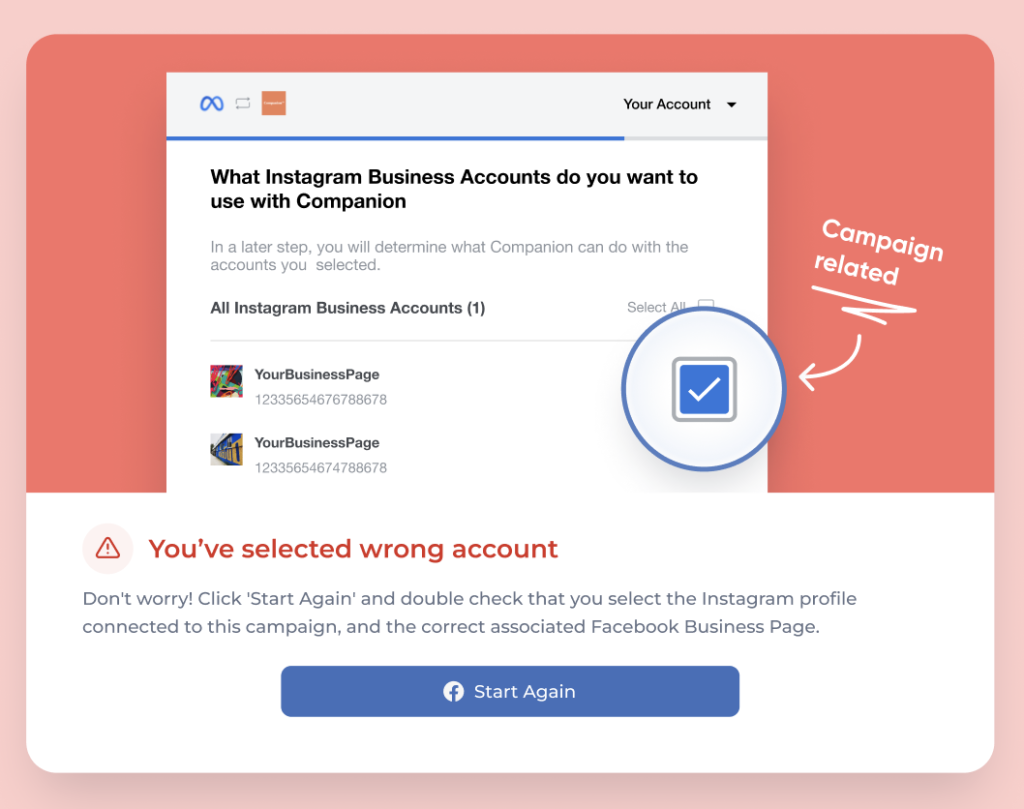
Now, refer to the below for a series of error messages the influencer could receive.
Wrong Account!
Not Selecting All Permissions!

That’s It!
Hope you enjoy the new Connecting journey!